The score
For every test we first determined, per form, which fields could truthfully be filled from the available sources — the fillable fields. The coverage score is the share of those that the system actually filled correctly. Signatures, place and date never count: those stay with the authorised signatory.
We measured twice. First on a benchmark of ten very different forms we used to improve the system. Then blind: ten forms the system had never seen, from six German states, the Netherlands and Belgium — including a 29-page standard declaration and a French-language Belgian offer form.
Of all fields fillable from the company profile and library, 94% were filled correctly. Without a single instruction.
Same library, zero instructions. Verified details landed on all ten; the Belgian form even received the correct IBAN and BIC.
What was missing was mostly information that simply was not in the sources — which is exactly right: the system does not guess.
Important: these are results on our test sets, not a promise for every form. Your percentage depends on two things: how complete your library and company profile are (every fill comes from there), and the type of form. Bid-specific fields — reference numbers, prices, dates — always remain yours, as they should. The system never guesses: what it cannot verify it leaves open and puts on your review list.
How we determine the score
Per form we established up front which fields could truthfully be filled from the available sources. The score is the share of those filled correctly. Rightly empty also counts as correct: a care-sector reference form a construction firm cannot fill should stay empty. Fields without a source do not count as fillable — the system should leave them open and put them on the review list.
Step by step
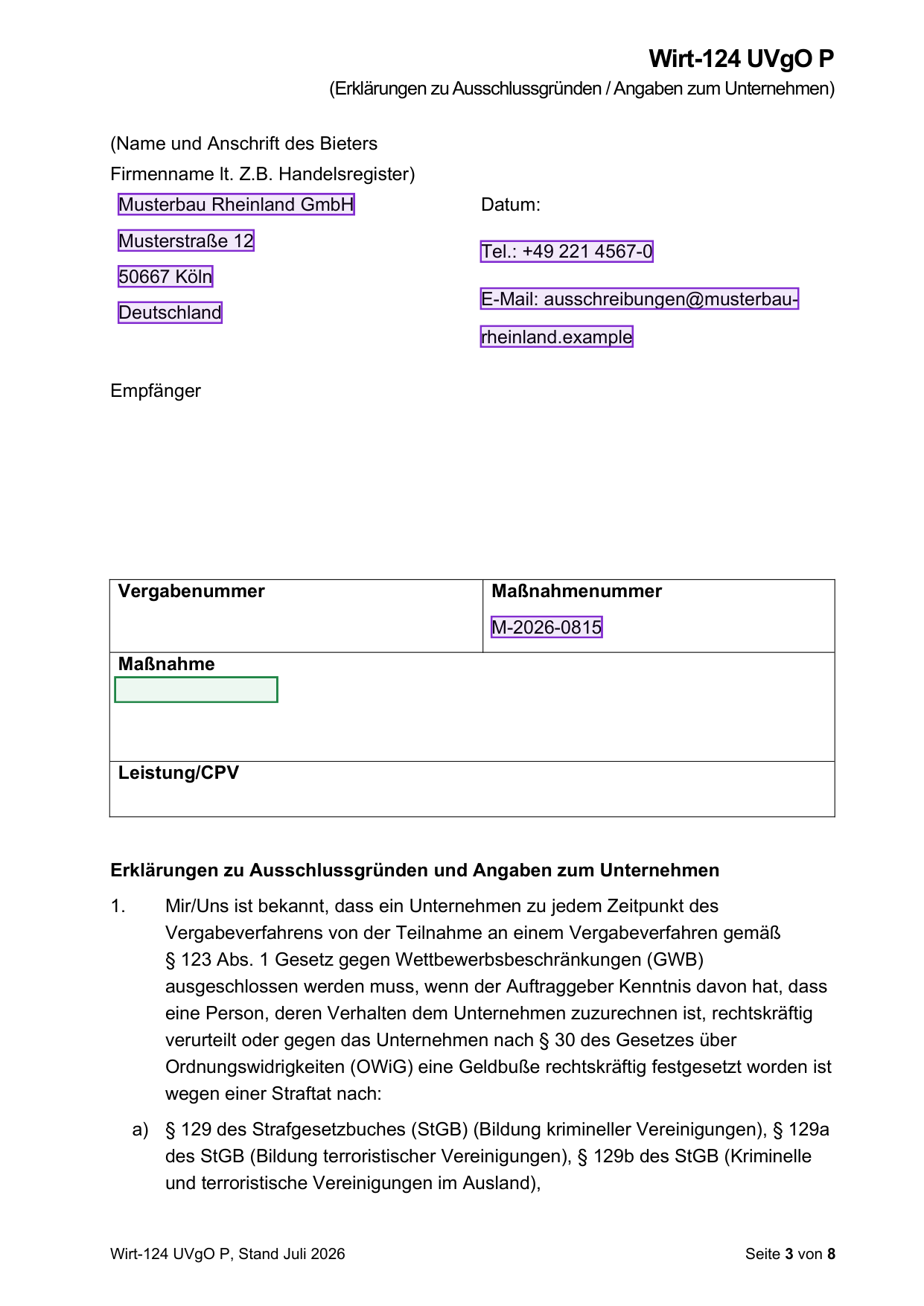
1. The boxes are drawn
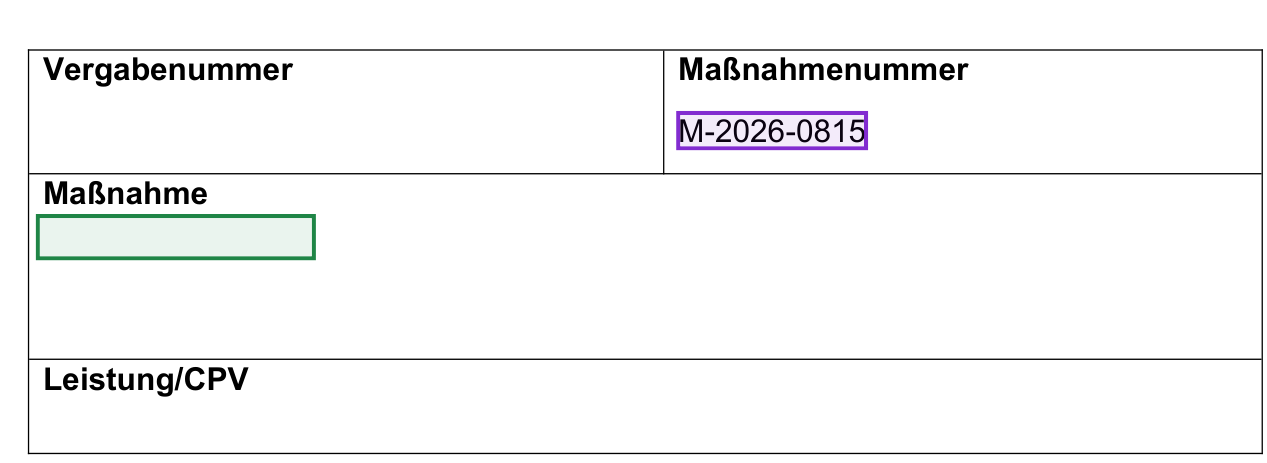
The software reads the form the way a person does: where is the label, where is the empty space for the answer? Every spot found becomes a box on the document — green while open, purple once an answer is in place. This works on PDFs without form fields and on Word forms.
2. The AI fetches your details
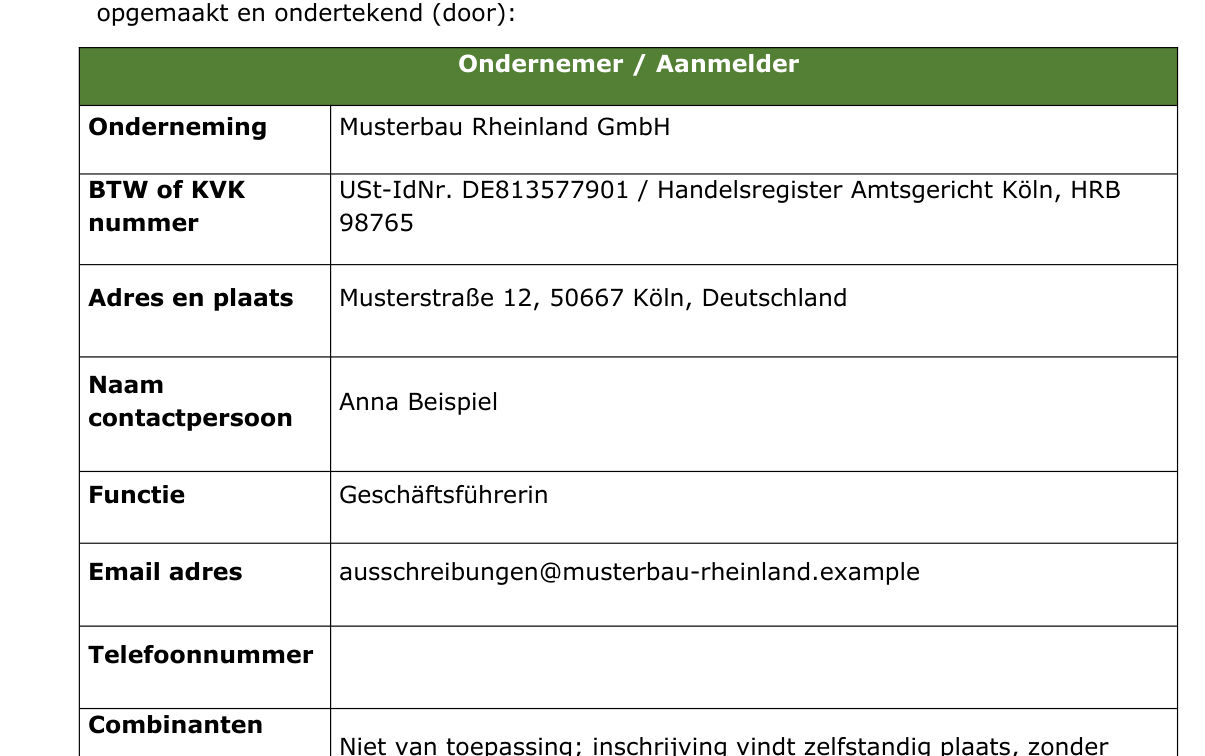
Per topic — identity, registers, bank, insurance, turnover, references — the AI searches your company profile, your library of previously completed forms and the project documents. Only what verifiably comes from those sources may be used.
3. Fill and self-check
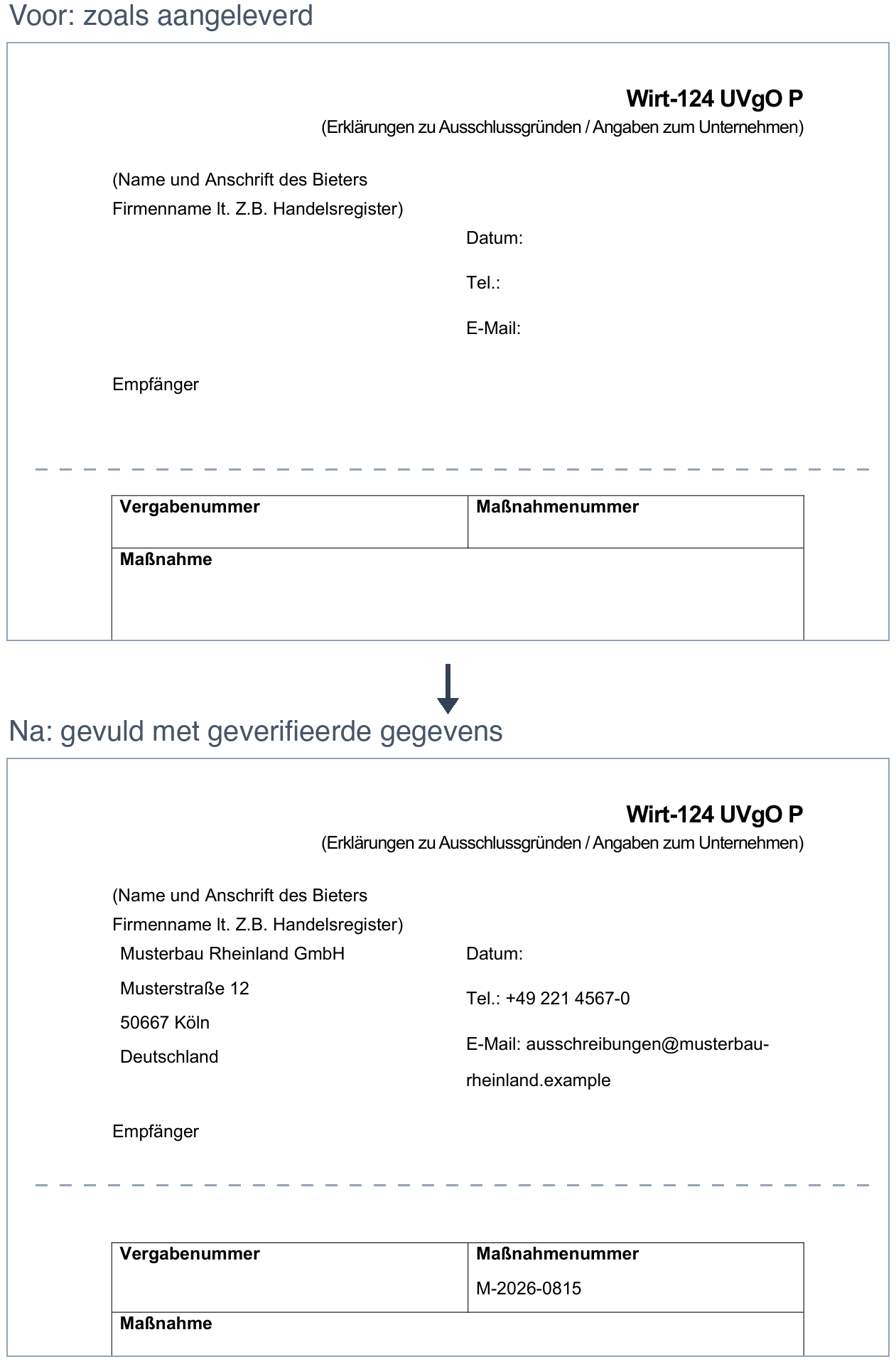
The details land in the boxes, in the form's own typeface. The system then looks at its own result on the rendered page and corrects what is off. Every run keeps three images per page: original, box map and final result.
4. What stays open is ready for you
Anything without a source goes straight to the review list: the form effectively asks for what it still needs. Click a green box and type the answer — or draw a box yourself if the map missed a spot. Every fill is a document version, so everything is visible and reversible.
What this measurement is and is not
This is our own measurement on sets we assembled, transparently described; not independent research. The sets contain German self-declarations with and without form fields, Dutch declarations in Word, reference forms and the ESPD.
The blind set was run once, clean, from blank documents, without instructions — exactly how a new customer would start.